
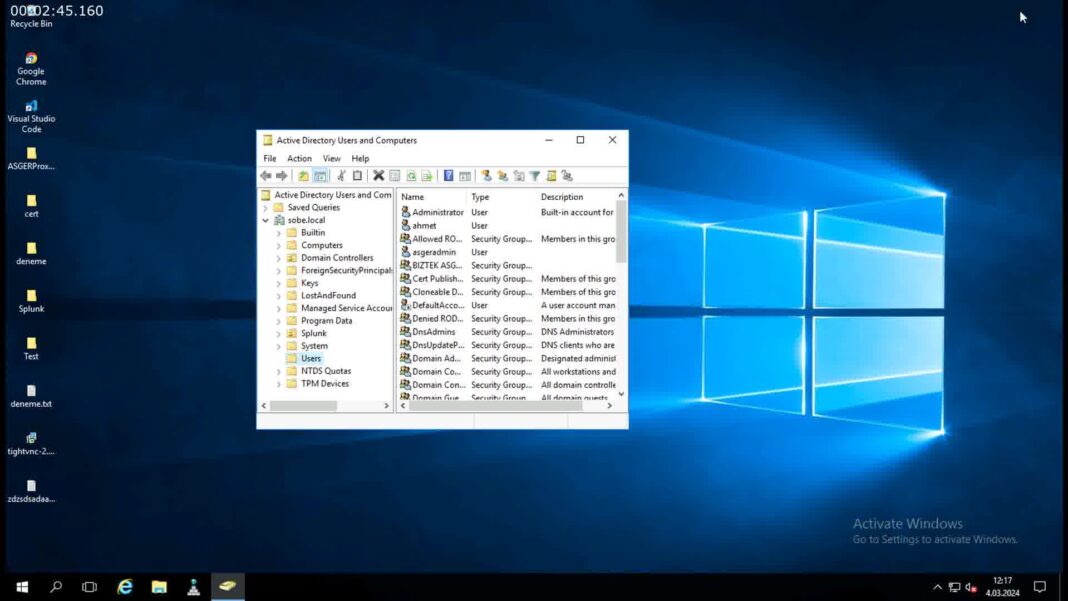
Windows file servers remain a core part of IT infrastructure for organisations that need to store, manage, and share large volumes of business data. From departmental documents and financial records to engineering drawings and project files, file servers provide a central location where employees can access the information they need.
However, managing a Windows file server effectively involves considerably more than creating shared folders and adding storage. As data volumes increase, administrators need to think about permissions, storage capacity, backups, security, performance, and the long-term lifecycle of the information being stored.
A structured approach to Windows file server administration can help organisations maintain reliable access to data while keeping infrastructure manageable as the business grows.
What Does a Windows File Server Administrator Do?
A file server administrator is responsible for maintaining the infrastructure that stores and provides access to shared files.
Depending on the organisation, responsibilities can include:
- Creating and managing file shares
- Configuring NTFS permissions
- Managing storage capacity
- Monitoring server performance
- Maintaining backups
- Managing user access
- Monitoring storage growth
- Applying security updates
- Planning for future capacity
- Managing archived and inactive data
The exact responsibilities vary between organisations, but the underlying objective is the same: provide users with reliable access to the information they need while protecting that information from unauthorised access, loss, and unnecessary disruption.
Start With a Clear Folder Structure
A well-designed folder structure makes a Windows file server significantly easier to administer.
Instead of allowing departments and users to create folders without any consistent approach, establish clear organisational principles from the beginning.
For example, folders might be structured around:
- Departments
- Projects
- Customers
- Business functions
- Geographic locations
- Document categories
The ideal structure depends on how the organisation operates.
The important thing is consistency. A predictable folder hierarchy makes it easier for administrators to apply permissions, identify inactive data, perform audits, and manage storage.
Understand NTFS Permissions and Share Permissions
One of the most important aspects of Windows file server administration is controlling who can access files.
Windows environments commonly involve both share permissions and NTFS permissions. Understanding how these interact is essential when designing access controls.
Administrators should avoid creating unnecessarily complicated permission structures. Excessive exceptions can make troubleshooting difficult and increase the possibility of users receiving inappropriate access.
A sensible approach is to:
- Create security groups based on job roles or departments.
- Assign permissions to groups rather than individual users wherever possible.
- Keep permission structures consistent.
- Regularly review access rights.
- Remove access when users change roles or leave the organisation.
Good permission management is not only a security requirement. It also makes the file server easier to maintain.
Monitor Storage Capacity
Storage growth is one of the most common challenges associated with file server administration.
A server with plenty of free space today may eventually become a capacity problem if data continues growing unchecked.
Administrators should monitor:
- Total storage capacity
- Available free space
- Monthly growth
- Largest folders
- Largest files
- File types consuming storage
- Inactive data
- Duplicate content
Monitoring growth makes it possible to identify problems before users begin experiencing issues.
It also provides useful information for capacity planning. Instead of purchasing storage reactively, administrators can estimate future requirements based on actual usage patterns.
Don’t Treat All Data the Same
One of the most important principles in modern storage management is recognising that not all files have the same value or access requirements.
A document being stored on a file server does not necessarily mean it needs to remain on high-performance primary storage indefinitely.
Current project files might be accessed every day, while documents from completed projects may not have been opened for several years.
This creates an opportunity to introduce storage tiers.
Frequently accessed information can remain on primary storage, while older and less frequently accessed information can be moved to lower-cost storage.
This approach can significantly reduce pressure on primary file servers without requiring administrators to delete useful historical information.
Implement a File Archiving Strategy
File archiving is particularly useful for organisations that have accumulated large quantities of unstructured data.
Rather than deleting old files or continually increasing primary storage capacity, administrators can establish policies for moving inactive data to secondary storage.
Potential archive destinations include:
- NAS systems
- SAN storage
- Secondary Windows servers
- On-premises storage
- Cloud storage
- Hybrid storage environments
A file server archiving solution for enterprises can automate this process by identifying files that meet predefined criteria and moving them to appropriate secondary storage.
Archiving policies might be based on file age, access history, file type, location, or other characteristics.
The objective is not simply to move files somewhere else. A well-designed archive should preserve the information’s usefulness, security, and accessibility while reducing the burden placed on primary storage.
Pay Attention to Backup Requirements
Backups are an essential part of Windows file server administration, but rapidly growing file servers can make backup operations increasingly difficult.
The larger the data set becomes, the more time and storage resources may be required to back it up.
Administrators should consider:
- How frequently different data needs to be backed up
- How long backups need to be retained
- Whether archived information requires the same backup frequency
- How quickly individual files need to be restored
- How the backup system handles large volumes of inactive data
Separating active data from long-term archive data can make backup strategies more efficient.
It may also reduce the amount of static historical information that needs to be processed during frequent backups.
Keep Windows Server Updated
Security updates should form a fundamental part of file server administration.
File servers often contain sensitive business information, making them attractive targets for attackers. Keeping the operating system and relevant software up to date helps address known vulnerabilities.
Administrators should establish a process for:
- Applying security updates
- Reviewing Microsoft security advisories
- Testing updates where appropriate
- Maintaining endpoint and server protection
- Removing unnecessary services
- Monitoring suspicious activity
Updates should be incorporated into a broader security strategy rather than treated as an isolated task.
Monitor Server Performance
Storage capacity is only one aspect of file server performance.
Administrators should also monitor resources such as:
- CPU utilisation
- Memory consumption
- Disk performance
- Network throughput
- Disk queue length
- File server response times
Performance monitoring can help identify whether a problem is caused by insufficient storage capacity, hardware limitations, network congestion, or an application-related issue.
Establishing normal performance levels is particularly useful. If administrators know what normal usage looks like, unusual activity becomes much easier to identify.
Review Inactive Data Regularly
Over time, file servers tend to accumulate information that nobody actively uses.
This can include old project files, obsolete documents, duplicate data, previous versions, and historical records.
Rather than allowing this information to accumulate indefinitely, administrators should periodically review inactive data.
However, deleting old files simply because they have not been accessed recently can be risky.
Before removing information, organisations should consider:
- Legal retention requirements
- Regulatory obligations
- Internal policies
- Business value
- Potential future requirements
- Backup and recovery requirements
Where information still needs to be retained, archiving may be more appropriate than deletion.
Plan for Disaster Recovery
A file server can represent a significant concentration of business-critical information.
A hardware failure, cyberattack, accidental deletion, or other incident can therefore have serious consequences.
Disaster recovery planning should establish:
- Which data is considered critical
- How quickly systems need to be restored
- Where backups are stored
- How backups are protected
- How files will be restored
- Who is responsible for recovery
- How recovery procedures will be tested
Recovery plans should not exist only on paper. Regular testing can reveal problems that may otherwise remain unnoticed until an actual incident occurs.
Separating primary and archive storage can also provide additional flexibility during recovery because organisations can prioritise the restoration of active information rather than immediately restoring every historical file.
Consider Automation
As a Windows file server grows, manual administration becomes increasingly difficult.
Automation can help with repetitive tasks such as:
- Monitoring storage
- Identifying inactive files
- Applying retention policies
- Managing permissions
- Generating reports
- Moving data between storage tiers
Automation is particularly valuable when administrators are responsible for millions of files.
Products such as ArchiverFS, developed by MLtek, demonstrate one approach to automating the movement of inactive Windows file data to secondary storage. The broader principle, however, is applicable regardless of which technology an organisation chooses: repetitive storage management tasks are often better handled by consistent policies than by manual intervention.
Document Your File Server Environment
Documentation is often overlooked until something goes wrong.
Administrators should maintain records covering:
- Server configurations
- Storage locations
- Share names
- Permission structures
- Backup arrangements
- Archive policies
- Recovery procedures
- Important dependencies
Good documentation makes troubleshooting easier and reduces the risks associated with staff changes.
It also provides a useful reference when planning migrations, upgrades, or changes to the storage environment.
Conclusion
Effective Windows file server administration requires a combination of security, organisation, monitoring, and forward planning.
Administrators need to manage permissions carefully, monitor storage growth, maintain reliable backups, apply security updates, and ensure that users can access the information they need without unnecessarily increasing infrastructure costs.
One of the biggest opportunities is to stop treating every file in the same way. Active information can remain on high-performance primary storage, while older and less frequently accessed data can be moved to more appropriate storage tiers.
As file servers continue to grow, combining sensible data management policies with automation can make administration significantly easier. Instead of continually reacting to full disks, slow backups, and expanding infrastructure requirements, organisations can establish a more sustainable approach to managing their Windows file server environments.