
When it comes to high-performance gaming, heat management is just as important as raw power. Gaming motherboards are designed with advanced cooling solutions that protect your components from overheating while maintaining optimal performance. From heatsinks to water-cooling support, these features help keep your system stable even during the most demanding gaming sessions.
Proper cooling keeps your gaming rig running smoothly and efficiently. It protects your hardware from overheating and ensures long-lasting performance. Stay responsive and enjoy uninterrupted gameplay with advanced cooling solutions.
| Section | Key Details |
| What is a gaming motherboard? | Optimized for gaming with high-quality power delivery, advanced cooling, fast data transfer, and support for overclocking and peripherals. |
| Key Features | High-speed RAM, PCIe slots, fast storage, advanced connectivity, stability, and future-proof design for immersive gaming. |
| Chipset | Determines capabilities: Intel Z-series for overclocking, AMD X-series for Ryzen CPUs. |
| Form Factor | ATX (full size), Micro-ATX (compact), and Mini-ITX (ultra-compact). |
| CPU Socket Compatibility | Supports specific CPUs: Intel LGA 1200/1700, AMD AM4/AM 5. Ensures optimal performance and overclocking support. |
| RAM Support | Dual- or quad-channel memory, up to 6400 MHz+, enhances gaming performance and multitasking. |
| PCIe Slots | Supports PCIe 4.0/5.0 for GPUs, NVMe SSDs, and expansion cards. |
| Storage Options | Multiple M.2 slots for NVMe SSDs and SATA ports for SSDs/HDDs ensure fast game loading and responsive system performance. |
| Connectivity | USB 3.2 Gen 2+, Wi-Fi 6/6E, Ethernet, and Bluetooth 5.0+ for peripherals and stable online gaming. |
| Audio and Networking | High-quality onboard audio (Realtek/Creative) and gaming-focused LAN/Wi-Fi for low-latency gameplay. |
| Cooling Solutions | Heatsinks for VRMs/chipsets, fan headers, water-cooling support, and temperature monitoring prevent overheating and maintain peak performance. |
| Choosing the Right Motherboard | Consider CPU compatibility, gaming needs, future expansion, and budget to select the best motherboard. |
| Popular Brands | ASUS ROG, MSI Gaming, Gigabyte AORUS, and ASRock—offering performance, durability, and innovative features. |
What is a Gaming Motherboard?
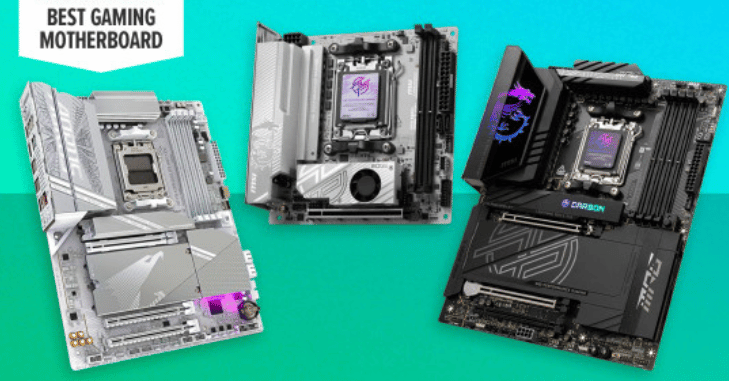
A gaming motherboard is a specially designed motherboard optimized for gaming performance. Unlike standard motherboards, it includes features that enhance gaming experiences, such as higher-quality power delivery, advanced cooling solutions, faster data transfer speeds, and support for the latest hardware innovations.
- Connecting all PC components efficiently.
- Managing power supply for high-performance CPUs and GPUs.
- Supporting overclocking for increased processing speed.
- Enabling connectivity with peripherals and storage devices.
Key Features of a Gaming Motherboard
Unlock the full potential of your gaming rig with a motherboard designed for performance.
Experience faster speeds, superior connectivity, and advanced cooling for uninterrupted gameplay. Support high-speed RAM, cutting-edge GPUs, and lightning-fast storage with ease.
Built for gamers, it ensures stability, future-proofing, and immersive gaming experiences.
Chipset
The chipset determines the motherboard’s capabilities, including overclocking, the number of PCIe lanes, and connectivity options. Popular gaming chipsets include:
- Intel Z-series (like Z790) for enthusiasts who want overclocking capabilities.
- AMD X-series (like X670) for gamers using Ryzen CPUs.
Gaming Motherboards Form Factor
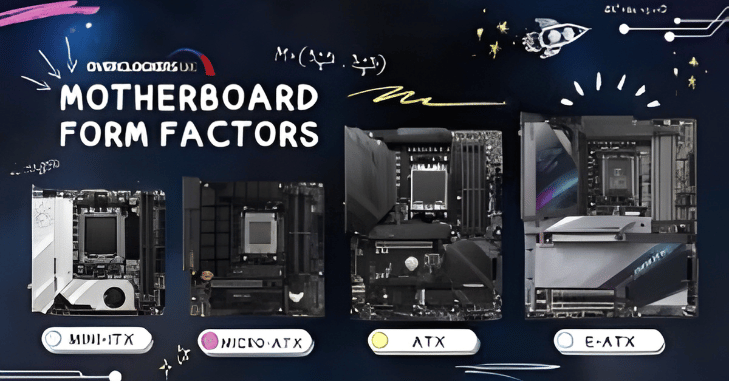
Motherboards come in different sizes, each with its advantages:
- ATX—Standard offers maximum expansion options.
- Micro-ATX—smaller, more compact, fewer slots.
- Mini-ITX—Ultra-compact, ideal for small gaming rigs.
CPU Socket Compatibility
CPU socket compatibility is one of the most critical aspects of a gaming motherboard, as it ensures your processor can communicate efficiently with the board. Each motherboard is designed to support specific CPU sockets, such as Intel’s LGA 1200 and LGA 1700 or AMD’s AM4 and AM5.
Choosing a motherboard with the correct socket ensures optimal performance, stability, and access to features such as overclocking and advanced memory support. Without proper compatibility, even the most powerful CPU cannot reach its full potential, making this a key factor in building a high-performance gaming system.
RAM Support
High-speed RAM enhances game performance and multitasking. Gaming motherboards usually support:
- Dual- or quad-channel memory configurations.
- Speeds up to 6400 MHz or higher (depending on the motherboard and CPU).
Storage Options
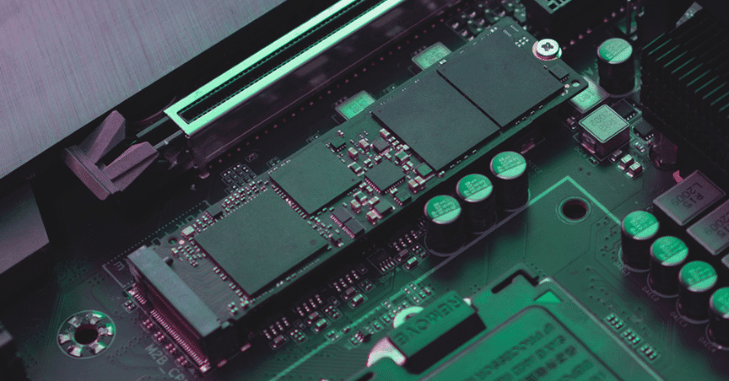
Fast and reliable storage is essential for seamless gaming, enabling games and applications to load instantly. Gaming motherboards offer multiple M.2 slots for ultra-fast NVMe SSDs and several SATA ports for additional SSDs or HDDs. This flexibility ensures ample space for all your games, media, and files.
With high-speed storage powering your system, every game launches in seconds and loads seamlessly. Enjoy faster boot times, instant file access, and reduced in-game lag. Quick data transfer keeps your performance consistent during intense gameplay. Stay ahead of the competition with a system built for speed, stability, and uninterrupted action.
Connectivity
Top gaming motherboards offer extensive connectivity options:
- USB 3.2 Gen 2 or higher for fast peripherals.
- Wi-Fi 6/6E and Ethernet ports for stable online gaming.
- Bluetooth 5.0+ for wireless accessories.
Audio and Networking
High-quality onboard audio enhances immersion, and robust networking ensures low-latency online gameplay. Many gaming motherboards feature:
- Integrated Realtek or Creative audio chips.
- Gaming-focused LAN and Wi-Fi solutions.
Cooling Solutions
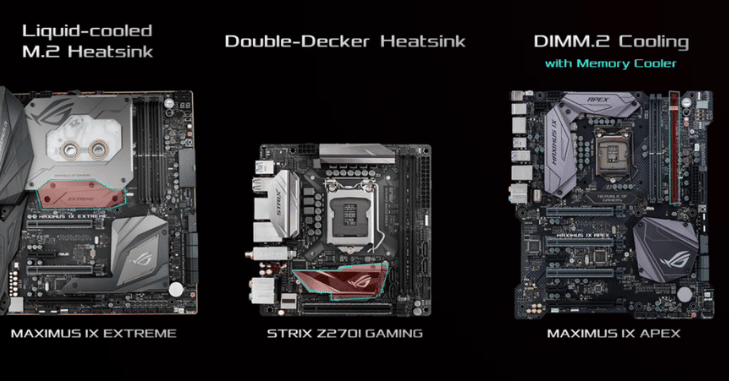
Effective cooling is vital for maintaining peak performance during intense gaming sessions. Gaming motherboards come equipped with heatsinks for VRMs and chipsets, fan headers, and support for advanced water-cooling setups. Built-in temperature monitoring software ensures your system stays within safe limits.
Choosing the Right Gaming Motherboard
When picking a gaming motherboard, consider:
- Your CPU compatibility is non-negotiable.
- Your Gaming Needs—Casual, Competitive, or Professional.
- Future Expansion—Extra RAM slots, PCIe lanes, and storage.
- Budget—High-end boards offer premium features but aren’t always necessary.
Popular Gaming Motherboard Brands
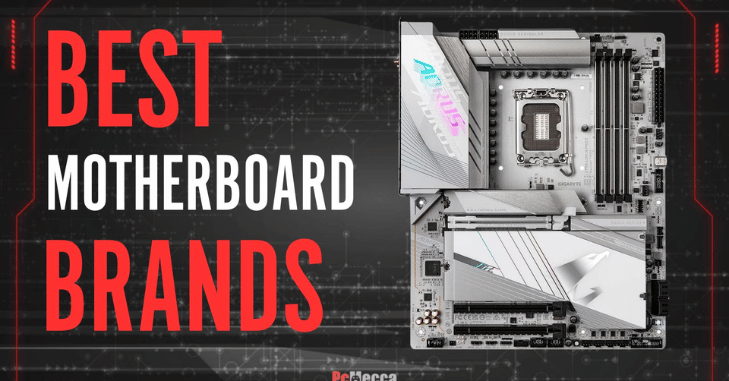
When building a high-performance gaming PC, choosing a reputable motherboard brand can make all the difference. Leading brands like ASUS ROG, MSI Gaming, Gigabyte AORUS, and ASRock offer a range of boards that balance performance, durability, and innovative features.
Whether you’re seeking cutting-edge technology, reliable stability, or budget-friendly options, these brands have you covered. With their proven quality and support, you can build a gaming rig that performs flawlessly for years to come.
Conclusion
Gaming motherboards are the backbone of any high-performance gaming PC, connecting all components and enabling maximum efficiency. Choosing the right motherboard ensures CPU compatibility, high-speed RAM, advanced storage, and cutting-edge connectivity. Robust cooling solutions keep your system stable, prevent overheating, and allow your hardware to perform at its peak.
Leading brands such as ASUS ROG, MSI, Gigabyte AORUS, and ASRock deliver reliability, innovation, and durability. With the right motherboard, your gaming rig becomes future-proof, responsive, and capable of handling even the most demanding titles. Investing in a quality motherboard guarantees smooth, immersive, and long-lasting gaming experiences.
Want to know about Xbox Steering Wheel and Pedal: The Complete Guide to Realistic Racing, Force Feedback Technology, Pedal Precision, and Immersive Gameplay for Gamers Check out our Gaming category.
FAQs
Form Factor. The form factor of your motherboard dictates several aspects of its layout and cooling, including the size of case you’ll require and the number of expansion slots you’ll have to deal with.
Your motherboard manages communication among your CPU, GPU, RAM, and other components, in addition to serving as the foundation to which everything else attaches.
The Planar Breadboard, created by IBM engineer Patty McHugh and used in the 1981 IBM Personal Computer, was the first backplane considered a motherboard.
Unless it is damaged or mistreated, it is extremely likely to survive for 10 years or longer, provided it does not fail in the first few months. This. Typically, motherboards are designed to last 10 years or longer.
Although a computer can function without a CMOS battery, it will lose its BIOS settings every time it is turned off, which could cause configuration problems and longer boot times.