

Introduction
Choosing the right gaming keyboard specs is a crucial step toward optimising your gaming experience. With a wide range of options and features available, understanding the technical specifications is essential to making an informed decision. From the type of switches and actuation force to the importance of response time and polling rate, each detail plays a role in your overall performance.
Whether you’re a competitive gamer looking for precise input or a casual player seeking comfort, this ultimate guide will break down all the specs you need to consider when selecting the perfect gaming keyboard. Gaming keyboard specs shape your playstyle, whether it’s lightning-fast mechanical switches, vibrant RGB lighting, or ultra-low latency.
| Feature | Description |
| Gaming keyboard’s specs | Gaming keyboard’s specs define key features like switch type, response time, RGB lighting, and build quality, all of which are crucial for optimising performance. |
| Switch Types | Mechanical (Red: fast, Blue: clicky, Brown: tactile), Membrane, Optical, Hall Effect (light or magnetic actuation) |
| Actuation Force | Light switches (45-55g) for quick reactions; influences speed and keypress accuracy |
| Travel Distance | Shorter travel (1.2mm–2mm) increases speed, but may reduce feedback |
| Key Rollover & Anti-Ghosting | Registers multiple simultaneous key presses accurately, preventing missed inputs |
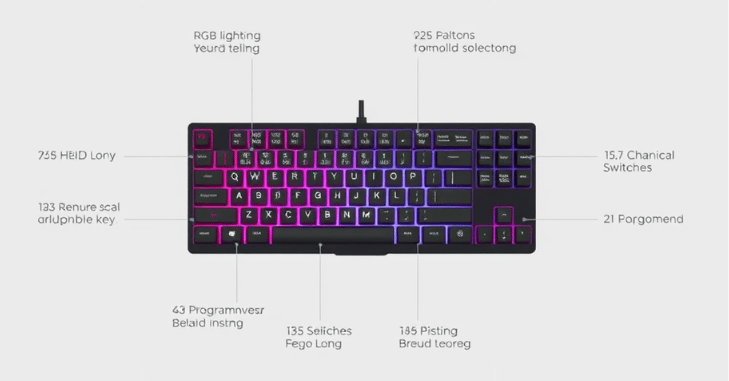
| RGB Lighting | Customizable modes (Static, Wave, Reactive) for visual effects and game-specific profiles |
| Keycap Materials | ABS (shiny with use) vs PBT (durable, textured, longer-lasting) |
| Layout Options | Full-size (with number pad) vs Tenkeyless (TKL, compact design) for more mouse space |
| Macro Keys & Programmability | Lower response time (ms) and higher polling rate (500Hz–1000Hz) offer fast, precise gameplay input. |
| Response Time & Polling Rate | Provides customisation for macros, key remapping, and lighting (e.g., Corsair icue, Razer Synapse) |
| Wired vs Wireless | Wired: Low latency, no charging. Wireless: Portable, minimal lag, ideal for clean setups and mobility |
| Build Quality | Plastic or aluminium frames; durability and water-resistance for longevity and gaming sessions |
| Software & Drivers | Provides customisation for macros, key remapping, and lighting (e.g., Corsair icue, Razer Synapse) |
| USB Passthrough | Allows peripherals (e.g., mouse, headset) to connect directly to the keyboard for convenience |
Gaming Keyboard Specs
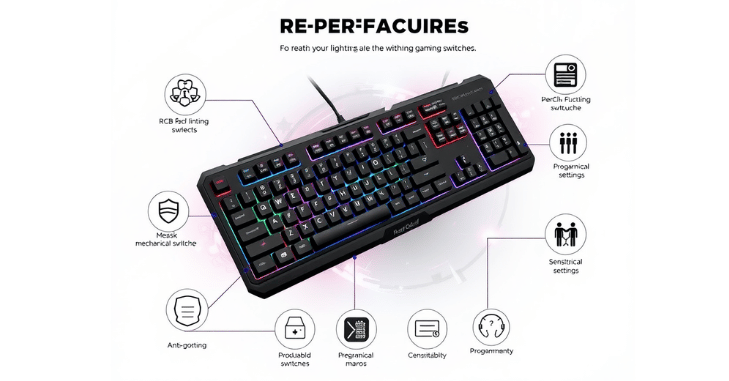
Choosing a gaming keyboard specs and understanding its specifications is crucial for matching your play style with its performance. Key specs include the type of switches; mechanical switches are favoured for their tactile feedback and durability, while membrane switches offer a quieter, softer touch.
The actuation point and actuation force determine how quickly and easily a key registers, which can make a difference in reaction times during competitive gameplay. Backlighting, especially RGB, not only adds visual flair but can also be customised for in-game alerts or to highlight key zones. Anti-ghosting and N-key rollover ensure that every keystroke is registered accurately, even when multiple keys are pressed simultaneously.
Additionally, specs like polling rate (measured in Hz) and response time (in milliseconds) reflect how quickly the keyboard communicates with the computer; higher polling rates and lower response times offer superior precision. These technical details are vital for gamers seeking peak performance, comfort, and longevity from their setup.
Importance of Choosing the Right Gaming Keyboard for Performance
Selecting the right gaming keyboard is not just about aesthetics or extra features; it directly affects your in-game performance and comfort over long sessions. A well-matched keyboard can improve reaction time, reduce finger fatigue, and provide better control during fast-paced gameplay.
For example, competitive gamers often prefer low-latency mechanical or optical switches because they allow quicker inputs, while casual players may prioritize comfort and quieter operation. The right combination of switch type, layout, and responsiveness ensures that every keystroke feels accurate and consistent, ultimately giving gamers a smoother and more reliable experience during gameplay.
Switch Types
Mechanical & Membrane Switches
Mechanical switches offer tactile feedback and durability. They come in various types, each catering to a different style of play.
- Red Switches: Linear and smooth, best for fast reactions.
- Blue Switches: Clicky and loud, excellent for typists.
- Brown Switches: Tactile and silent, great for a mix of gaming and typing.
These are quieter and more budget-friendly, but they lack the responsiveness and lifespan of mechanical switches.
Optical and Hall Effect Switches
Newer technologies, such as optical switches and Hall-effect switches, are gaining popularity.
- Optical Switches use light-based actuation for faster response.
- Hall-effect switches use magnetic fields for zero-contact key actuation, making them highly durable and resistant to dust.
These switches offer high-end gaming performance and longer lifespans.
Actuation Force and Travel Distance
- Actuation Force refers to the amount of pressure needed to register a keypress. Gamers generally prefer lighter switches (45-55g) for quicker actions.
- Travel Distance is the distance a key travels before it actuates. A shorter travel distance (1.2mm–2mm) improves speed but may sacrifice feedback.
RGB Lighting and Aesthetic Features
Modern keyboards offer millions of colours and advanced lighting modes.
- Static, Wave, Reactive, Ripple Effects
- Game-Specific Profiles (e.g., WASD lighting for shooters)
- Most keyboards allow users to create profiles that activate depending on the game or application.
Keycap Types and Materials
- ABS: Common, cheaper, gets shiny over time.
- PBT: Durable, textured, and resists wear.
- Keycaps also come in different profiles (OEM, Cherry, SA, and DSA), which affect comfort and finger placement.
Layout and Size Options
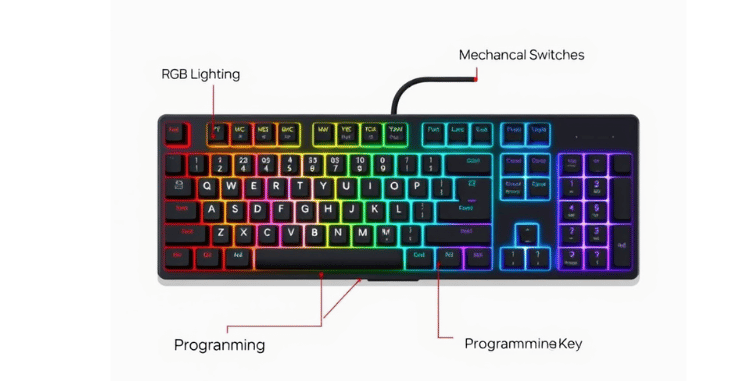
When it comes to gaming keyboard layouts, size and key arrangement play a crucial role in both comfort and performance. Full-size keyboards are the most traditional and include a number pad, arrow keys, and a whole row of function keys (F1–F12). This layout is ideal for productivity tasks, programming, and games that require numerous hotkeys or macro inputs, such as strategy and simulation games.
However, for gamers who prioritise desk space or need more room for mouse movement, especially in fast-paced shooters like CS: GO or Valorant, Tenkeyless (TKL) keyboards are a popular choice. These keyboards remove the number pad, making the design more compact while retaining all essential keys.
Macro Keys and Programmability
Many gaming keyboards include:
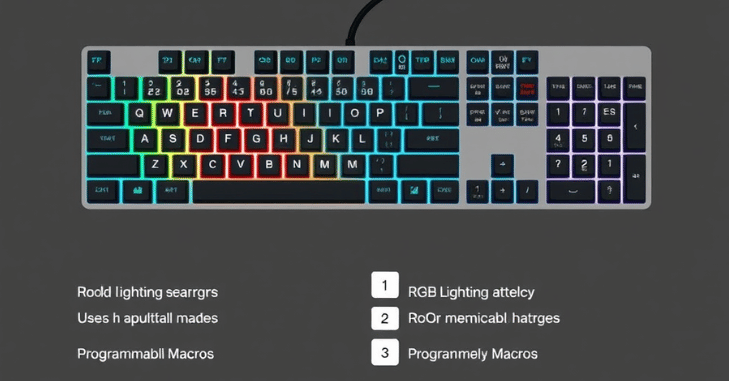
- Dedicated macro keys for quick command chains.
- Software customisation to program complex actions.
- Onboard memory to save multiple profiles.
Useful for RTS, MMO, and workflow automation.
Response Time and Polling Rate
Response time and polling rate are two critical specifications that directly impact a gaming keyboard’s performance. It refers to how quickly a key press is registered after it’s pressed, typically measured in milliseconds (ms). In gaming, a lower response time is always better, as it ensures near-instantaneous input during fast-paced action.
Polling rate, on the other hand, indicates how frequently the keyboard communicates with the computer, usually measured in Hertz (Hz). Common polling rates range from 500 Hz to 1000 Hz, meaning the keyboard sends updates 500 to 1000 times per second. A higher polling rate leads to smoother and more responsive gameplay.
Wired vs. Wireless Performance
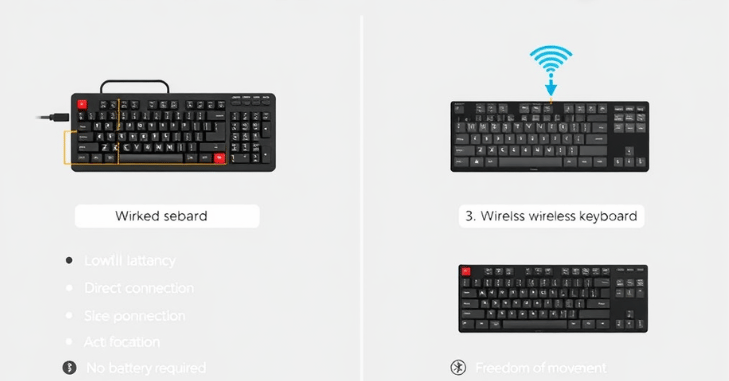
| Feature | Wired Keyboards | Wireless Keyboards |
| Connection Type | USB (usually Type-A or Type-C) | 2.4GHz wireless dongle or Bluetooth 5.0 |
| Latency | Near-zero latency – offers real-time response | Modern models have minimal lag, nearly on par with wired options |
| Power Source | Powered through the USB cable – no charging required | Requires rechargeable battery or replaceable batteries |
| Ideal For | Competitive gaming, eSports, fast-paced action games | Competitive gaming, eSports, and fast-paced action games |
| Portability | Casual gaming, clean desk setups, and portability | Highly portable and convenient for multi-device use |
| Desk Setup | Can cause cable clutter | Offers a cleaner, minimalist workspace |
| Reliability | Extremely reliable connection – no disconnections | Reliable with modern tech, but can occasionally suffer from interference |
| Price | Generally more affordable | Often more expensive due to added wireless technology |
| Setup Complexity | Plug-and-play, no pairing required | May require pairing, drivers, or software setup |
| Maintenance | Low – no charging necessary | Requires regular charging or battery changes |
Build Quality and Durability
The build quality of a gaming keyboard plays a major role in its longevity and overall feel. Frame materials can range from plastic to aluminium, with aluminium offering a more durable, rigid, and premium construction ideal for long-term use. Some models also feature water-resistant designs, protecting against accidental spills, an added bonus for gamers who enjoy snacks and drinks during sessions.
Additionally, mechanical switches are built for endurance, with most rated to last between 50 to 100 million keystrokes, ensuring the keyboard can withstand intense, prolonged gaming. Altogether, a sturdy construction not only enhances the keyboard’s durability but also contributes to a more satisfying and reliable user experience.
Software and Driver Support
Companion software allows users to:
- Set macros
- Customize lighting
- Remap keys
- Update firmware
Popular software includes Corsair icue, Razer Synapse, Logitech G HUB, and SteelSeries Engine.
Connectivity and USB Passthrough
Many modern gaming keyboards come equipped with additional features that enhance functionality and user convenience. One such feature is USB passthrough, which allows users to plug in peripherals, such as a mouse, USB drive, or headset, directly into the keyboard, reducing the need to reach behind the PC.
Another practical addition is the use of detachable USB-C cables, which make cable management easier and significantly improve portability. This is ideal for LAN parties or competitive gamers on the go.
Some high-end models also include audio jack passthrough, providing a convenient way to connect a headset without cluttering your main audio ports. These thoughtful extras not only streamline your setup but also contribute to a more seamless and enjoyable gaming experience.
Popular Gaming Keyboard Brands
Some trusted and performance-focused brands include:
- Corsair (e.g., K95, K70 series)
- Razer (e.g., BlackWidow, Huntsman)
- SteelSeries (e.g., Apex Pro)
- Logitech G (e.g., G Pro X, G915)
- Hyperx, Cooler Master, Ducky, and Keychron also offer high-quality models for all budgets.
Price Range and What to Expect
- Budget ($30–$60): Membrane or entry-level mechanical keyboards.
- Mid-Range ($70–$120): Mechanical switches, RGB, and solid build quality.
- Premium ($130–$250+): Full customisation, optical switches, per-key RGB, aluminium body, and advanced features.
Read More: – Lenovo IdeaPad Flex 5: A Versatile 2-in-1 Laptop for Everyday Use, Keyboard and Touchpad
Conclusion
In conclusion, the right gaming keyboard’s specs can elevate your performance and provide lasting comfort throughout your sessions. With a wide variety of options, understanding key specs like switch types, actuation force, and polling rates will help you find a keyboard that suits your playing style.
From RGB lighting and customizable profiles to build quality and wireless capabilities, there’s a perfect match for every gamer. By considering all these factors, you’ll ensure that your gaming setup meets both your needs and preferences, giving you an edge in your favourite games.
Apart from that, if you are interested to know about “Cheap Gaming Monitor: Top Affordable Picks for High-Performance, Smooth, and Fast Gaming Experiences” then visit our “Tech” category.
FAQs
There are three primary varieties of keyswitch: Clicky, Tactile, and Linear. These characteristics describe the switches’ aural (and, in Clicky’s instance, physical) feedback.
A CPU, graphics processor, memory, storage media, and Internet connectivity are some of the essential components that make up a standard gaming console.
Due to their quiet, quick, and smooth operation, which is ideal for fast-paced gaming situations, linear switches are commonly used in gaming.