

Introduction
A cheap gaming monitor is an excellent choice for budget gamers who want smooth performance without spending too much. Many affordable options offer a 144Hz to 165Hz refresh rate, 1ms to 4ms response time, and AMD FreeSync for a tear-free experience. The Acer Nitro KG241Y (23.8-inch, 165Hz, 1ms, TN panel) is available for $120-$150, while the AOC 24G2 (24-inch, 144Hz, 1ms, IPS panel) costs around $180.
The Sceptre C248B (24-inch, 165Hz, 3ms, VA panel, curved screen) provides an immersive experience for $140. Other options like the ASUS VP249QGR and Dell S2422HG also deliver solid performance. Choosing the right cheap gaming monitor depends on refresh rate, response time, panel type, and adaptive sync support.
What to Look For in an Affordable Gaming Monitor
When shopping for a cheap gaming monitor, it’s important to strike the right balance between performance and price to ensure you still get an enjoyable gaming experience without overspending. Key features to consider include refresh rate, which affects how smoothly motion appears on screen; response time, which influences how quickly pixels change color during fast-paced action; and panel type, which can impact color accuracy and viewing angles. Even budget-friendly options can offer decent values when these elements are optimized for gaming needs. Additionally, connectivity options like HDMI and DisplayPort support allow you to pair the monitor with a range of consoles and PCs, while built-in features such as adaptive sync technologies help reduce screen tearing. Focusing on these essentials ensures that an inexpensive monitor still delivers responsive gameplay and clear visuals, making it a sensible choice for gamers on a budget.
What to Look for in a Cheap Gaming Monitor?
Refresh Rate
A higher refresh rate means smoother gameplay. Standard monitors have 60Hz, but at least 75Hz to 144Hz is recommended for gaming. A 165Hz monitor can provide even better performance for fast-action games. Higher refresh rates help reduce screen tearing and make movements look fluid, improving your overall gaming experience, especially in FPS and racing games.
Response Time
The response time measures how quickly pixels change colors. Faster response times, like 1ms to 5ms, reduce motion blur and ghosting in fast-paced games. TN panels usually have the quickest response times, while IPS and VA panels may be slightly slower but offer better colors and contrast. A low response time is essential for competitive gaming.
Resolution
A 1080p Full HD resolution is the best choice for a cheap gaming monitor. It provides clear images while keeping the price low. 1440p and 4K resolutions offer better visuals but require a more powerful graphics card. A 1920×1080 resolution works well for most games, ensuring smooth performance without too much stress on your hardware.
Panel Type
The panel type affects color accuracy, viewing angles, and response time. TN panels are affordable and have fast response times but weaker colors. IPS panels offer excellent color reproduction and viewing angles but may cost more. VA panels provide deeper blacks and better contrast, making them ideal for immersive gaming. Choosing the right panel depends on your gaming needs.
Adaptive Sync
Adaptive sync technologies like AMD FreeSync and NVIDIA G-Sync help prevent screen tearing and stuttering. Most cheap gaming monitors support FreeSync, which works well with AMD graphics cards. Some are G-Sync compatible, meaning they can also work with NVIDIA GPUs.
Top 5 Cheap Gaming Monitors
| Monitor Model | Screen Size | Panel Type | Refresh Rate | Response Time | Special Features | Price Range |
| Acer Nitro KG241Y | 23.8-inch | TN | 165Hz | 1ms | AMD FreeSync, Fast TN Panel | $120-$150 |
| AOC 24G2 | 24-inch | IPS | 144Hz | 1ms | AMD FreeSync, Wide Angles | $180 |
| ASUS VP249QGR | 23.8-inch | IPS | 144Hz | 3ms | Adaptive Sync, | $160-$170 |
| Sceptre C248B | 24-inch | VA | 165Hz | 3ms | Curved Screen, Immersive Gaming | $140 |
| Dell S2422HG | 24-inch | VA | 165Hz | 4ms | AMD FreeSync Premium, High Contrast | $170 |
Acer Nitro KG241Y
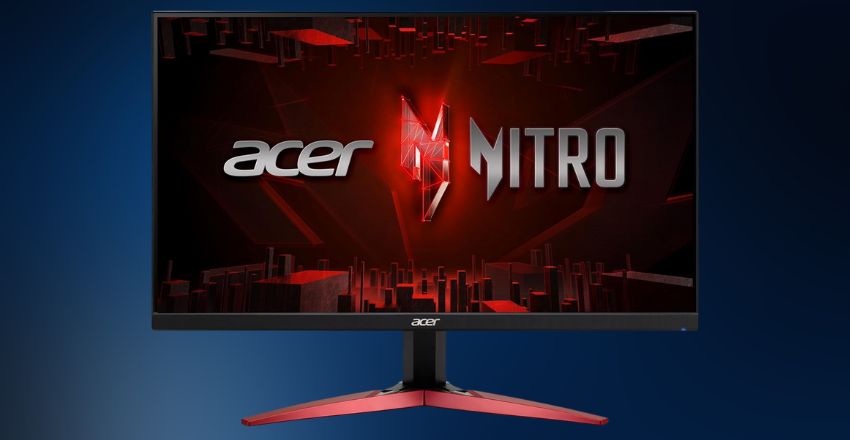
The Acer Nitro KG241Y is one of the best options for budget gamers. It has a 23.8-inch Full HD screen, a 165Hz refresh rate, and a 1ms response time. AMD FreeSync reduces screen tearing and provides a smooth gaming experience. Its TN panel offers fast performance, making it ideal for FPS games. It is available for around $120-$150.
AOC 24G2
The AOC 24G2 is a popular cheap gaming monitor with a 24-inch 1080p IPS display. It offers a 144Hz refresh rate and 1 ms response time, making it great for fast-action games. The IPS panel ensures better color accuracy and wide viewing angles. It supports AMD FreeSync and is priced around $180, making it an excellent choice for budget-conscious gamers.
ASUS VP249QGR
The ASUS VP249QGR is a 23.8-inch 1080p monitor with a 144Hz refresh rate and 3ms response time. It features an IPS panel, providing vibrant colors and wide viewing angles. This monitor supports Adaptive Sync and has built-in speakers. Priced between $160 and $170, it’s a well-rounded option for gamers who want a balance between speed and visual quality.
Sceptre C248B
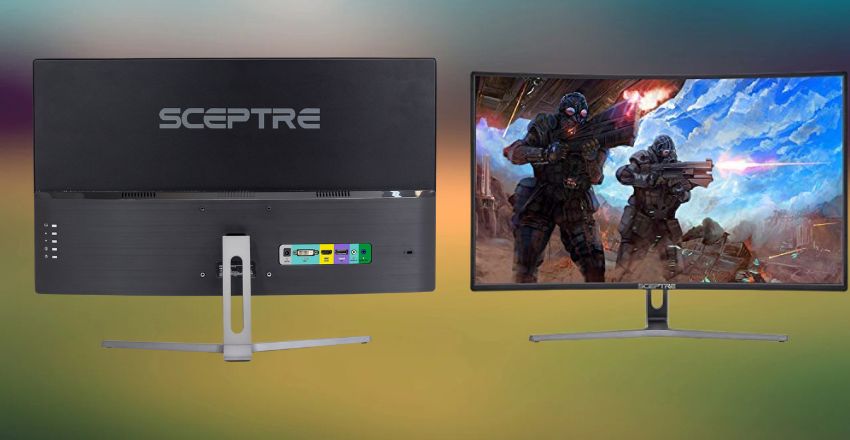
For those looking for an affordable curved monitor, the Sceptre C248B is a great pick. It has a 24-inch 1080p VA panel, offering 165Hz refresh rate and 3ms response time. The curved screen provides an immersive experience, especially for racing and simulation games. Available for $140, it combines a sleek design with solid gaming performance at an affordable price.
Dell S2422HG
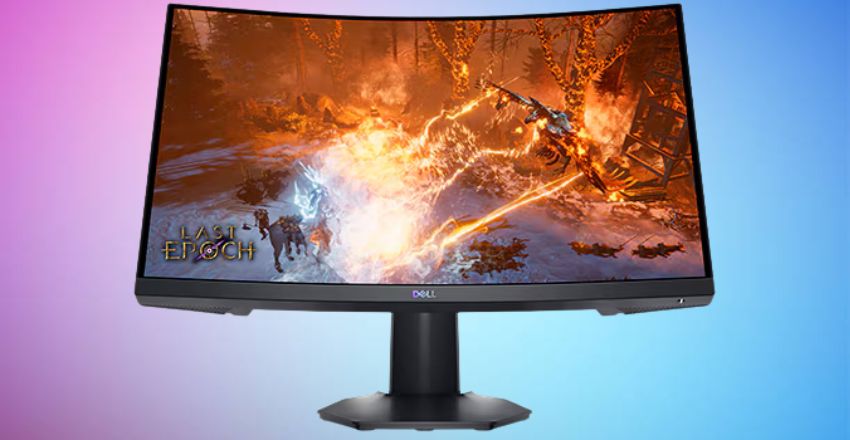
The Dell S2422HG is a 24-inch 1080p VA panel monitor with a 165Hz refresh rate and 4ms response time. Its VA technology ensures deeper blacks and high contrast, enhancing image quality in dark scenes. It also supports AMD FreeSync Premium for smoother gameplay. At $170, it’s an excellent choice for budget gamers who prefer VA panels.
Pros and Cons
Pros
- Cheap gaming monitors are budget-friendly while still offering essential gaming features.
- Many come with 144Hz or 165Hz refresh rates, ensuring smooth gameplay.
- Adaptive Sync technology reduces screen tearing.
- Some affordable options include IPS panels, which provide good color accuracy and viewing angles.
- These monitors allow casual and competitive gamers to enjoy a smooth experience without spending too much.
Cons
- Budget gaming monitors often lack higher resolutions like 1440p or 4K.
- They may not have HDR support, which enhances visual quality.
- Some cheaper models use TN panels, which have limited color accuracy.
- Build quality may be lower, and bezels thicker than premium models.
- Despite these drawbacks, many budget monitors still offer excellent performance for the price.
Conclusion
A cheap gaming monitor offers budget-friendly performance with 144Hz to 165Hz refresh rates, 1ms to 4ms response times, and AMD FreeSync for smooth gameplay. Models like the Acer Nitro KG241Y, AOC 24G2, and Sceptre C248B provide excellent value. While budget monitors may lack 4K resolution or HDR, they still deliver great gaming experiences. Choosing the right cheap gaming monitor depends on your gaming needs and budget.
Apart from that if you want to know about “Short-Throw Projector: Each and Everything You Need to Know” then please visit our “Tech” Category.
FAQs
A 144Hz to 165Hz refresh rate is ideal for gaming, providing smoother gameplay than standard 60Hz monitors.
Many budget monitors offer 1ms- to 4ms response times, reducing motion blur and ghosting in fast-paced games.
IPS panels offer better color accuracy and viewing angles, while TN panels provide faster response times at a lower cost.
Most budget gaming monitors support AMD FreeSync; some are G-Sync compatible for a smoother experience.
A minimum refresh rate of 60Hz is essential for casual gaming, but for a smoother experience, especially in fast-paced games, a refresh rate of at least 144Hz is recommended.